For clients
Billing
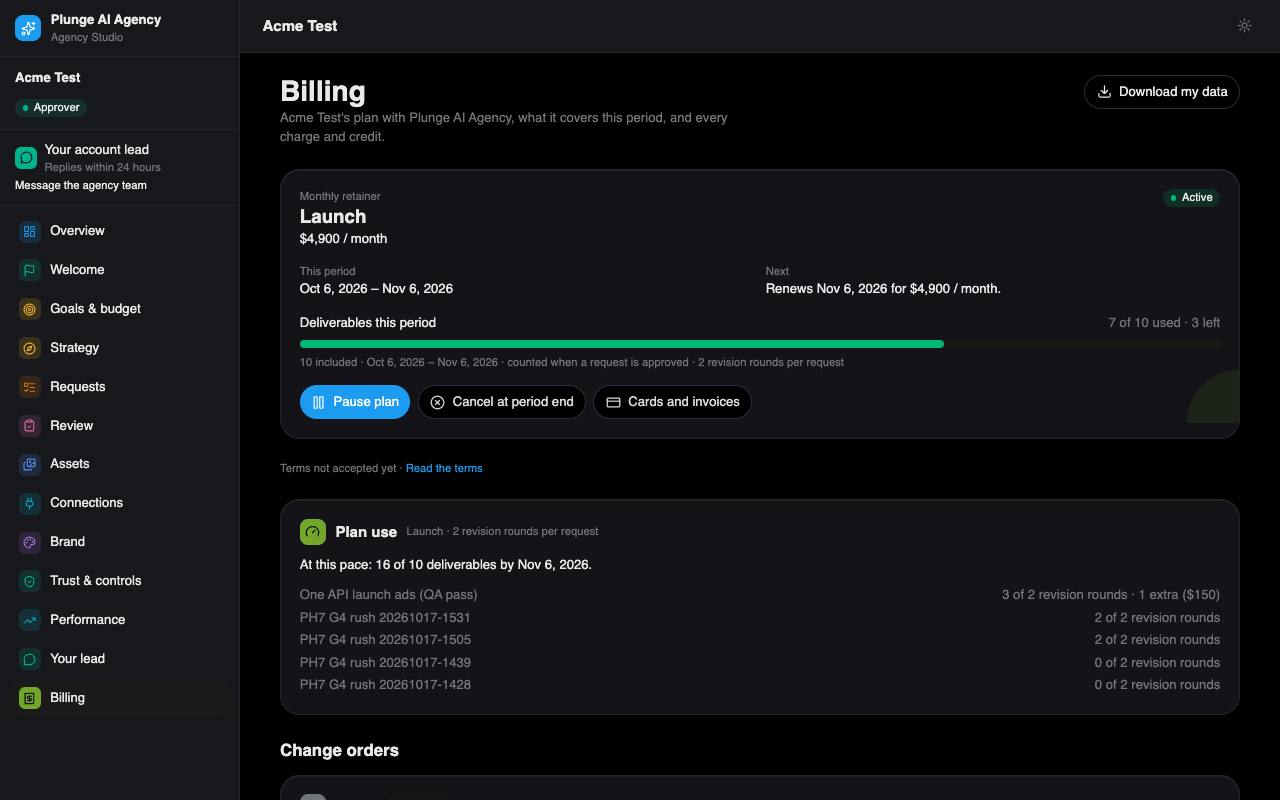
Your plan in Agency Studio: monthly retainer or per piece, starting it, change orders, failed payments, credits, the outcome fee option, referrals and billing groups.
Packages are listed on the home page (opens in a new tab). There are two kinds:
- Monthly retainer: a number of units per month, the revision rounds per request and a turnaround.
- Per piece: a card on file, charged one piece at a time at the price the unit line showed you.
Starting a plan
- Open Billing. The agency has prepared your plan.
- Tick I accept the terms (the version is shown).
- Press Start this plan and pay in Stripe Checkout. For a per-piece plan, Save a card for per-piece work stores the card and charges nothing yet.
Stripe runs in test mode today.
A workspace has one active plan at a time. Production starts only while it is active. Approvers can pause, resume or cancel from Billing; you get a reminder 7 days before each renewal. A burn meter shows the units used and where the month is heading.
Change orders
A revision past the rounds your plan includes, or a paid rush, is a change order: a card on Review, the request and Billing with its amount. Accept it to have it invoiced and the work start, or decline it.
When a payment fails
You have a 3-day grace period with a banner and an Update card button. After that, new work is on hold until the payment goes through. Reviews, approvals and downloads keep working.
Credits and refunds
- On a per-piece plan, if a run fails and its automatic retry fails too, the piece's fee is credited back to your Stripe balance.
- If we miss a turnaround round, a piece you paid for on its own is credited at its price, and a piece from a monthly package does not count against it.
- Refunds are issued by the agency; you get a mail when one is made.
Outcome fee option
The agency may offer, on your plan, a fee per confirmed lead or sale (a KPI your outcome plan names) with a monthly cap. The offer shows on Billing and changes nothing until your approver accepts it. From then on, on the 1st of each month, last month's confirmed units are invoiced at the fee, up to the cap. Confirmed means counted in your own GA4; numbers the ad platform reports are shown next to them but never billed. A month with nothing confirmed is skipped.
Refer a business
While the agency's referral programme is on, Billing shows your referral code and link. A business that signs up through it and starts a plan earns you the credit the tile names on your Stripe balance, once per referred business. Referring yourself (the same people, email domain or website) earns nothing.
Several brands, one bill
If the agency groups several of your brands or locations, one of them holds the plan and the others show it read-only as "Billed to <brand>". The approvers of the brand that pays are invited to each grouped workspace.