For the agency team
The Dashboard nav
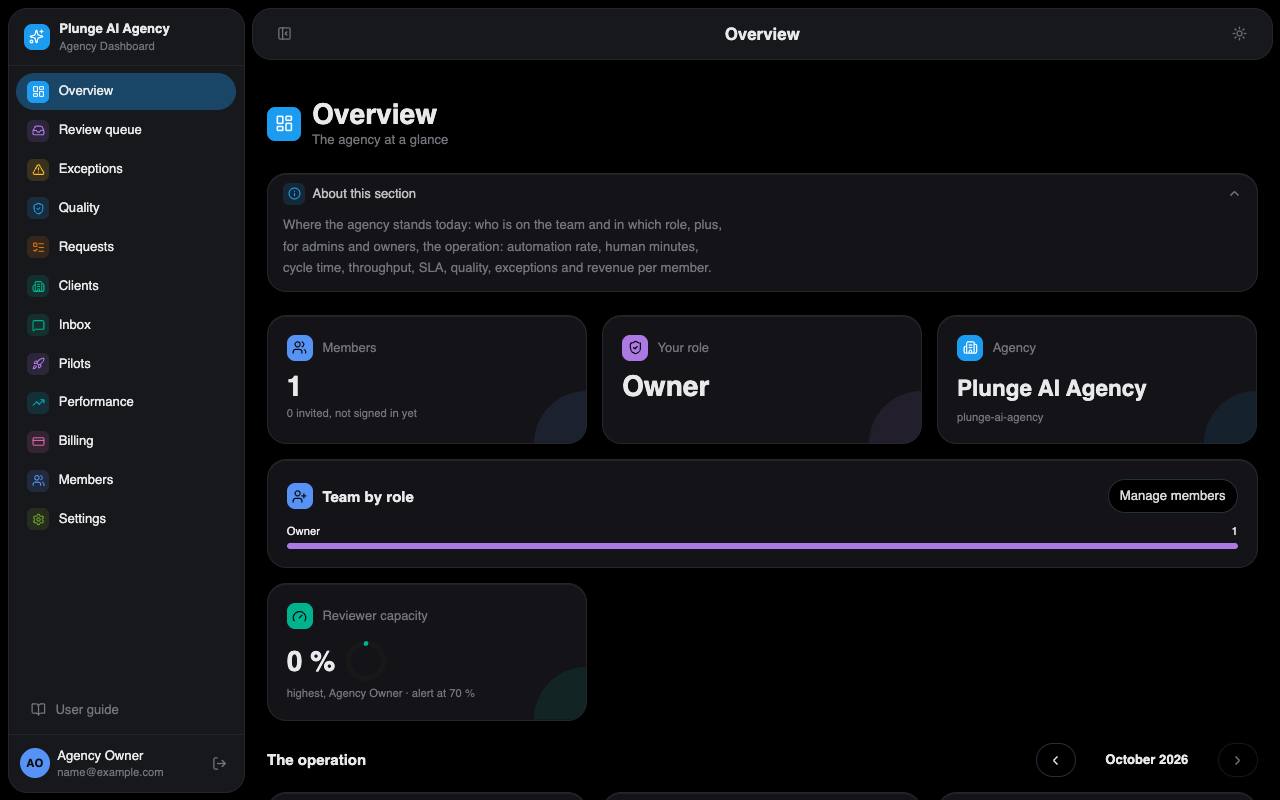
The sidebar has twelve sections. Each page opens with an "About this section" note; this is the short version.
Overview
Who is on the team and in which role. Admins and owners also see one month of operating metrics: automation rate, human minutes, cycle time, throughput, turnaround attainment, quality, open exceptions and revenue per member, and the reviewer load tile: each reviewer's reviewed time against their weekly hours and the queue wait (median and 90th percentile). A number that cannot be computed shows "—" with the reason.
Review queue
Deliverables that passed QA or were held for a person. Approve one for the client, request changes with a steer that re-runs production, or reject it. Each decision needs a reason when it is not an approval (off-brand, claim, policy, visual, brief miss, taste) and is recorded on the client timeline. The card shows the QA panel, the decision packet (brief, claims used, the prior version next to this one), comments and, for images, the lockup button. Your review time is measured while the page is visible and you are active; you do not type it. Once two members have shifts on Members, the roster is active: a request entering internal review is assigned to the reviewer on shift with the fewest already assigned, and the queue gets a Mine / Everyone toggle.
Exceptions
What the pipeline could not do by itself, one row per cause: Retry, Open request, or Dismiss (a note of at least 3 characters). The request owner gets a mail when a row opens. The Escalations tab holds the rows that need a person to answer a client (a question the bot handed over, a client thread past its reply time, an email reply that needs a look), each with its owner and reply-due time. See When something stops.
Quality
Admins and owners. How often the QA gate and the people who decide after it agree, severe misses (the gate would pass work a person sent back for a claim or policy reason), false passes and fails, disputes, copy flips, first-pass and repair rates. Every overrule and dispute is listed and can be added to the golden set the gate is tested against. The Eval runs tile starts and lists test runs of the gate.
Requests
The board of every brief by status, with SLA timers, and New request for strategists. See Requests.
Clients
Every client with its status (lead, onboarding, active, paused, churned) and the Leads tab: start-form leads with their package, fit answers and the reasons of the sign-up gate. From a lead you can mark it contacted, waitlist it, close it or convert it into a client. Admins see the sign-up funnel there too.
Inbox
Every open "Message your lead" thread across clients, the one due soonest first. A reply mails the client's users and stops the reply clock.
Pilots
Admins and owners. Design-partner clients: the seats in use against the seat cap, and each pilot's time to first deliverable, revision rounds, approval rate and turnaround against the incumbent numbers the client entered at kickoff.
Performance
Daily spend, impressions, clicks and conversions per published creative, read from the client's Google Ads account, with GA4 kept apart so a conversion is never counted twice. Live reads wait for Google's API access; until then the numbers come from CSV exports a strategist or the client imports. The week report sits on top.
Billing
Plans, invoices and change orders per client, billed through Stripe (test mode), with the margin page next to it. Outcome fee offers, referrals and billing groups live on each client's Plan tab. See Billing operations.
Members
The team. Owners and admins add people by email and set their role, time zone, weekly hours and shifts (a weekday and two times in the member's own zone, up to two a day). Weekly hours feed the reviewer load; shifts feed the roster.
Settings
The agency account, its defaults (including whether clients watch production live, the reviewer load alert and the quarterly briefing's opening), the packages, the owner's Rulings and the owner items. See Settings.