For the agency team
Requests
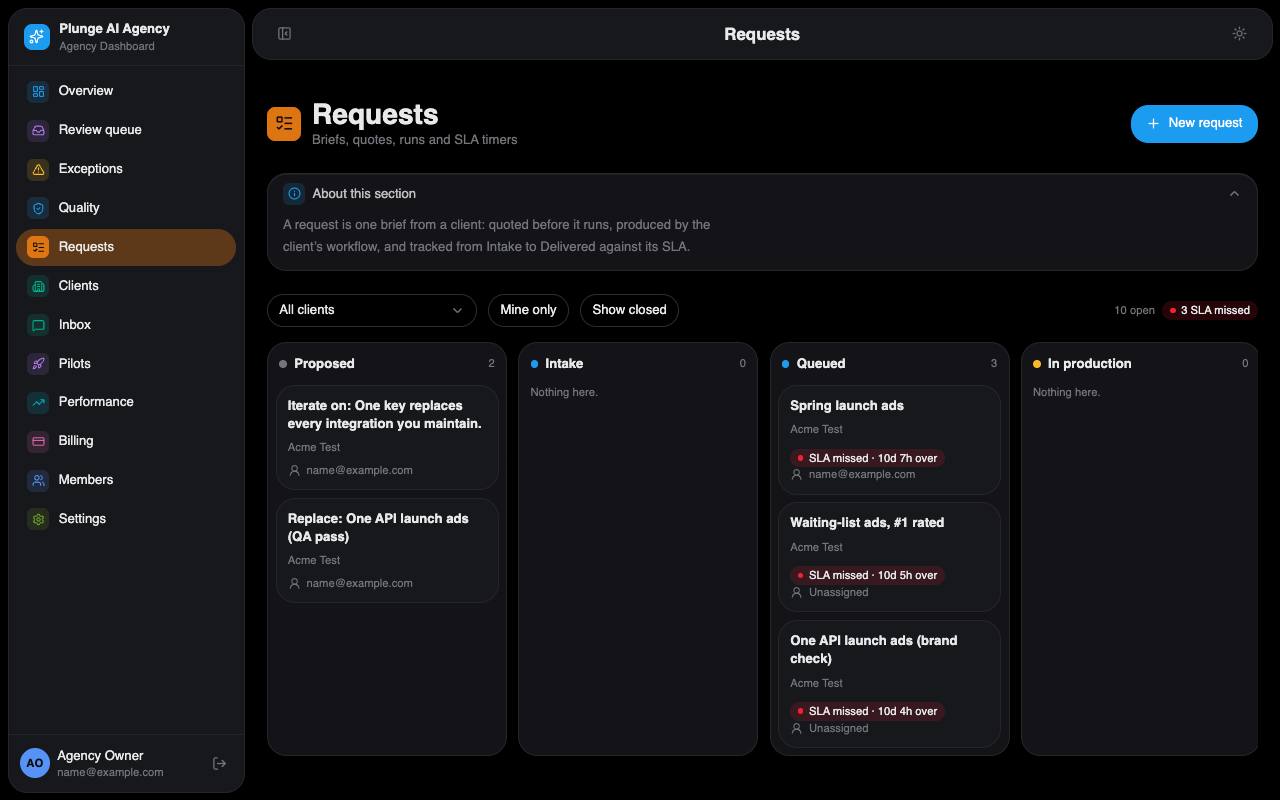
The board shows one column per status, left to right: Proposed, Intake, Queued, In production, QA failed, Internal review, Client review, Revision, Approved, Published, Delivered, Cancelled. Every allowed move is drawn in the request lifecycle; a move outside it is refused. A client's brief …
Statuses and the board
The board shows one column per status, left to right: Proposed, Intake, Queued, In production, QA failed, Internal review, Client review, Revision, Approved, Published, Delivered, Cancelled. Every allowed move is drawn in the request lifecycle; a move outside it is refused. A client's brief starts in Intake, one you create starts in Queued. Free samples are kept off the board.
New request
Lowest role: strategist. The same brief form the client has, offering exactly what the client buys: ad creative always, a landing page or lifecycle email when the client's service lines list them, the video formats only when video is on. The unit line above submit shows what the brief uses of the plan. Keep facts the client has not approved out of the brief: the writer may quote the brief, and the claims check only knows the approved claims.
Quote and produce
The quote is the agency's internal estimate of the run's platform cost; the client never sees it. Produce (lowest role: strategist) refuses, before anything starts, when:
- the request is not Queued or in Revision, or has no quote;
- the quote is above the agency's quote limit (produce again with the quote confirmed);
- the client has no active plan, the plan is paused or unpaid, or past due for more than 3 days;
- a per-piece charge due at submit is not paid;
- the brief lacks its landing-page or email section;
- the client is not active, has no approved brand, works in a regulated industry with no industry pack enabled, or names a person without a valid consent.
The button shows the refusal it got. A started run moves the request to In production; a start the platform refuses puts it back.
The production record
Each run is recorded on the request with its concept count, quote, revision source and steer. The receipt "What the agent did" lists the run's steps, models and cost without any content. Log your own time with Log time (judgment or product gap); it feeds the margin page.
Watching a run
While a run is in production the request page shows its lanes as they are written, refreshed every 5 seconds, and who else is watching. Stop (lowest role: strategist) asks the platform to cancel it; a stopped run is never retried or credited. Stop and steer with a note (up to 2,000 characters) cancels it and starts exactly one new run with the note as its steer, at the same quote and concept count. If the agency's setting "Clients watch production live" is on, the client's approver can do the same from Agency Studio, seeing only the steps.
Versions and the QA panel
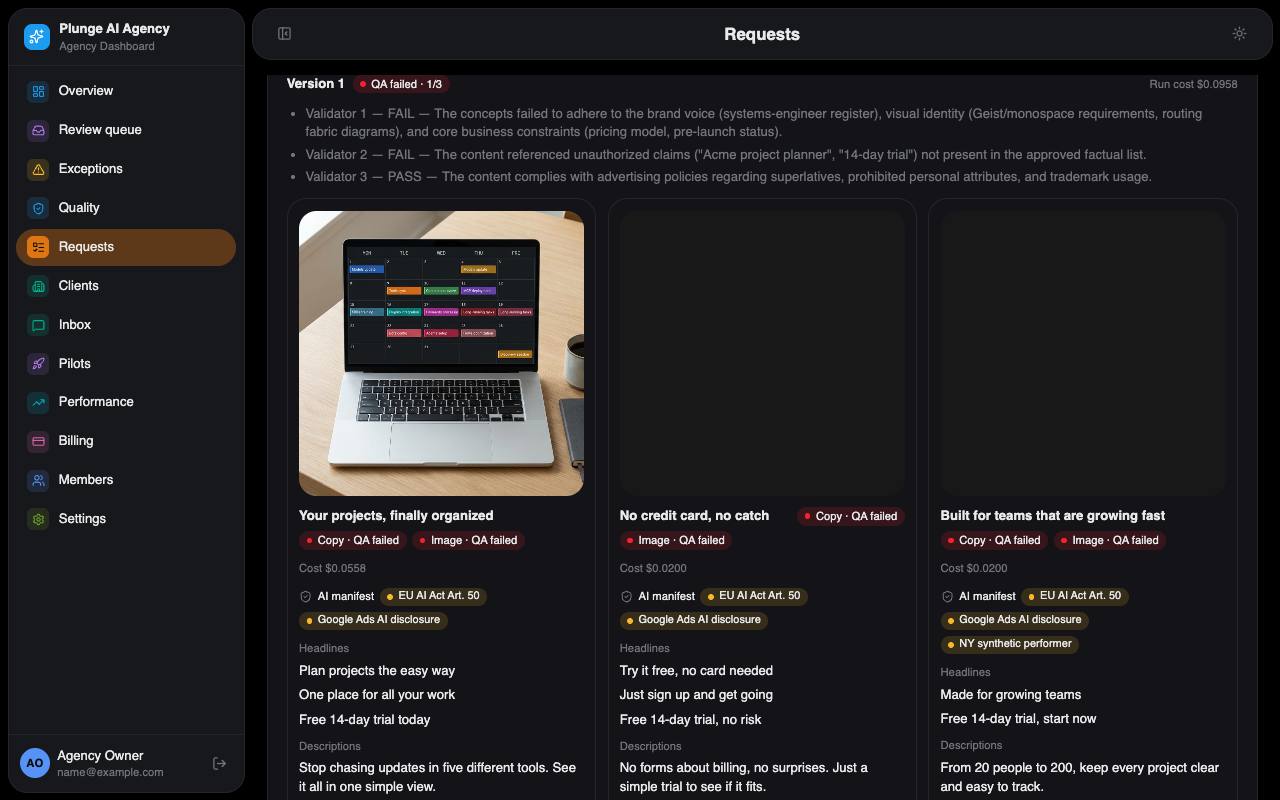
Each run makes a version. Its pieces show "Checking" while the gate works, then "QA: n passed · n failed · n held". The QA panel lists the findings with failures first, each rule's two votes, a flip marked "the copies disagreed", the holds and the shadow badge ("Gate: would pass / would fail"). Failed concepts are listed with their reasons.
Review decisions
Lowest role: reviewer. Approve, Request changes (with a steer) or Reject, one piece or up to 50 at once. Request changes does not start a run by itself; Re-run with steer does. An operator's request for changes never reaches the client's timeline.
Sending to the client
When every piece of the latest version is decided, the version goes to the client by itself: one review mail per approver with their own magic links. Send to client (lowest role: strategist) sends again by hand. A client with no approver opens an exception. A piece that shows a person or the product while the client restricted them waits for an operator's approval first.
Revise with steer
Lowest role: reviewer. Re-runs production with your note as the steer, for the whole concept, the copy only or the image only (ad creative). Open client notes are added to the steer. Above the confirm you see the round ("Round 2 of 2 included") and the estimate. Past the plan's included rounds the re-run becomes a change order the client accepts first.
Approve on the client's behalf
Lowest role: admin. "Approve for client…" on a piece in client review, with a reason of 10 to 500 characters. The client sees the reason word for word on the timeline, in the mail, the digest and the export. This is the only way an agency approval counts for publishing.
Launch plan and publish
A launch plan (lowest role: strategist) sets the daily budget and dates; it is refused without the client's spending envelope or above the daily ceiling (the monthly cap ÷ 30). The client's approval keeps a copy of it. Publish (lowest role: admin) is Google Ads only and needs the client's approval, the disclosure checklist ticked, a budget inside the approved one and a connected Google account. It creates the campaign paused; add keywords in Google Ads, then Enable. Publishing is not live today: it waits for Google's API access.
Cancel
Lowest role: strategist. Cancelling a request resolves all its open exceptions. A cancelled request uses no unit.