Command palette
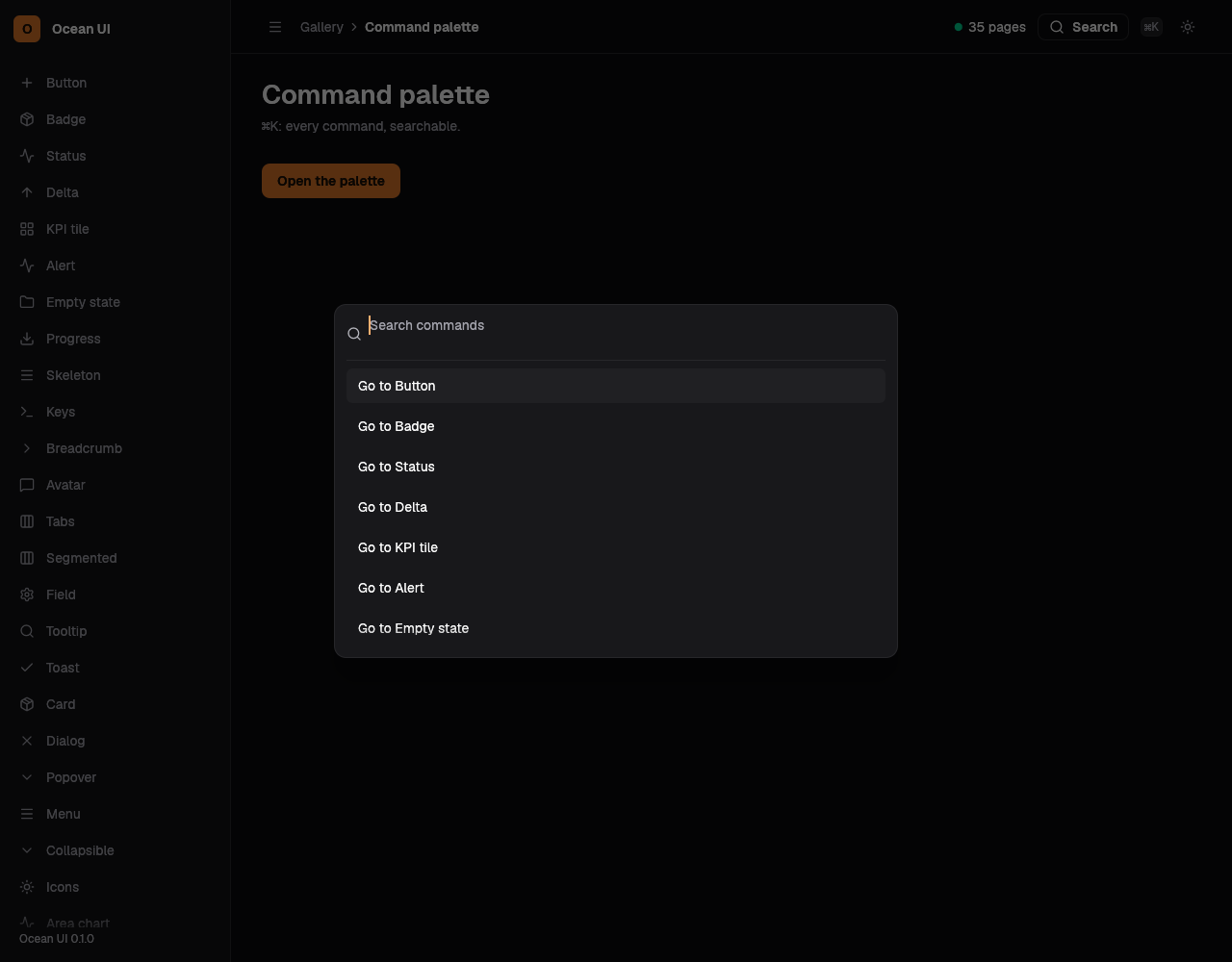
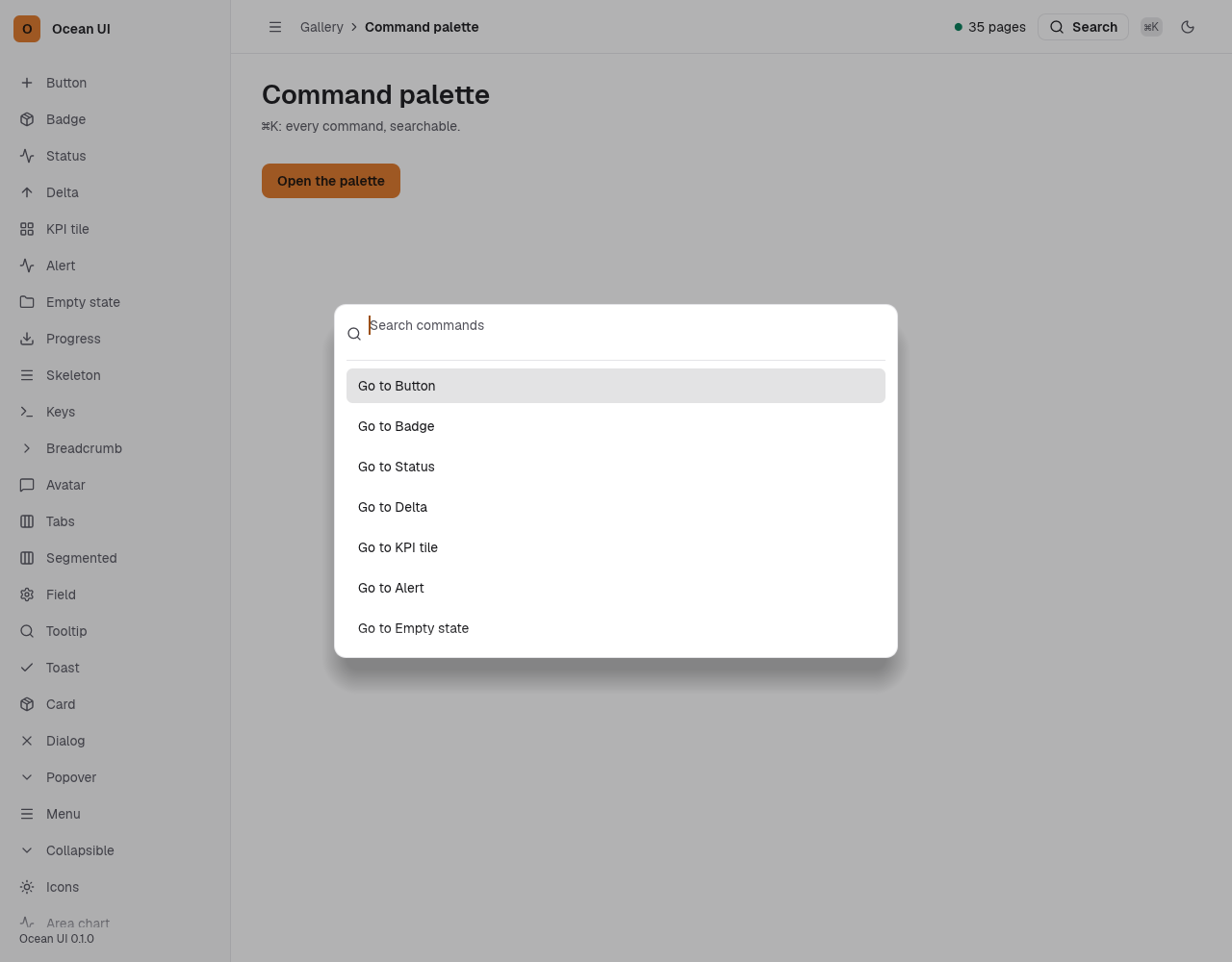
The palette is a modal dialog with a filter field over one link row per nav item that has an address, each marked data-command. The top bar's search pill opens it without script, and every row is a plain link. The base island adds ⌘K, Ctrl+K and / (when no field has focus) to open it, filtering as you type, the arrow keys to move the lit row and Enter to follow it; Esc closes it.
Every screen
Shown open here; on a page ⌘K, Ctrl+K, / or the search pill opens it.
let shell = Shell {
    app_name: "Service desk",
    version: "0.8.8".into(),
    nav: nav(),
    here: "queue",
    crumb: vec![
        Crumb { text: "Service desk".into(), href: Some("#queue".into()) },
        Crumb { text: "Queue".into(), href: None },
    ],
    title: "Queue".into(),
    sub: Some("Every ticket open now".into()),
    actions: vec![Button::new("Build an agent", Variant::Solid).href("#build")],
    status: None,
};
out.push_str(&page(&shell));Two screens
The palette lists what the sidebar lists.
let shell = Shell { nav: nav().into_iter().take(2).collect(),..desk() };
out.push_str(&page(&shell));One screen
Even a one-screen app answers ⌘K.
let shell = Shell { nav: nav().into_iter().take(1).collect(),..desk() };
out.push_str(&page(&shell));On the Mac
The same vocabulary drawn by Ocean UI's native face (egui on Metal), as the gallery's snapshot.
Use it
Web
use ocean_ui_web::{Island, Page};
Page { shell: &shell, nav_hrefs: &[("tickets", "/tickets"), ("people", "/people")], title: "Tickets", island: Island::Auto }.render_parts(|out| out.push_str("…"))Native
use ocean_ui_native::shell::Palette;
Palette::toggle(ui.ctx());
Palette::show(ui.ctx(), &mut reg);Cargo feature shell of ocean-ui-core, ocean-ui-web and ocean-ui-native; available since 2026-10-29.
Props
| Name | Type | Default | What |
|---|---|---|---|
nav | Vec<NavItem> | — | The Shell's rows; each one with an address becomes a row of its icon and label. |
nav_hrefs | &[(&'static str, &'static str)] | — | Page's map from a row's id to its address; a row it does not name is left out. |
island | Island | — | Page's island build, Base, Live or Auto, which loads base for these rows; without one the palette opens and links but does not filter. |
Accessibility
- The dialog is labelled by its Search title, and its field by a visually hidden label, Go to a screen.
- The field is a text field, not a search field, so Esc closes the dialog instead of clearing it.
- The arrow keys light a row with aria-selected, and a line says Nothing matches when no row does.
Related
Markdown
The same page as Markdown, for an agent or a pull request.
# Command palette
The ⌘K dialog that filters every screen as you type and goes to the lit one with Enter.
The palette is a modal dialog with a filter field over one link row per nav item that has an address, each marked data-command. The top bar's search pill opens it without script, and every row is a plain link. The base island adds ⌘K, Ctrl+K and / (when no field has focus) to open it, filtering as you type, the arrow keys to move the lit row and Enter to follow it; Esc closes it.
## Use it
Web:
```rust
use ocean_ui_web::{Island, Page};
Page { shell: &shell, nav_hrefs: &[("tickets", "/tickets"), ("people", "/people")], title: "Tickets", island: Island::Auto }.render_parts(|out| out.push_str("…"))
```
Native:
```rust
use ocean_ui_native::shell::Palette;
Palette::toggle(ui.ctx());
Palette::show(ui.ctx(), &mut reg);
```
Cargo feature `shell`; since 2026-10-29.
## Props
| Name | Type | Default | What |
|---|---|---|---|
| `nav` | `Vec<NavItem>` | `—` | The Shell's rows; each one with an address becomes a row of its icon and label. |
| `nav_hrefs` | `&[(&'static str, &'static str)]` | `—` | Page's map from a row's id to its address; a row it does not name is left out. |
| `island` | `Island` | `—` | Page's island build, Base, Live or Auto, which loads base for these rows; without one the palette opens and links but does not filter. |
On the Mac:  
## Examples
### Every screen
Shown open here; on a page ⌘K, Ctrl+K, / or the search pill opens it.
```rust
let shell = Shell {
app_name: "Service desk",
version: "0.8.8".into(),
nav: nav(),
here: "queue",
crumb: vec![
Crumb { text: "Service desk".into(), href: Some("#queue".into()) },
Crumb { text: "Queue".into(), href: None },
],
title: "Queue".into(),
sub: Some("Every ticket open now".into()),
actions: vec![Button::new("Build an agent", Variant::Solid).href("#build")],
status: None,
};
out.push_str(&page(&shell));
```
### Two screens
The palette lists what the sidebar lists.
```rust
let shell = Shell { nav: nav().into_iter().take(2).collect(),..desk() };
out.push_str(&page(&shell));
```
### One screen
Even a one-screen app answers ⌘K.
```rust
let shell = Shell { nav: nav().into_iter().take(1).collect(),..desk() };
out.push_str(&page(&shell));
```
## Accessibility
- The dialog is labelled by its Search title, and its field by a visually hidden label, Go to a screen.
- The field is a text field, not a search field, so Esc closes the dialog instead of clearing it.
- The arrow keys light a row with aria-selected, and a line says Nothing matches when no row does.
## Related
- [Dialog](/ui/components/dialog.md)
- [Sidebar](/ui/components/sidebar.md)
- [Top bar](/ui/components/topbar.md)
- [Keyboard shortcut](/ui/components/kbd.md)