Page head
The page head names the screen in its one h1 and can add a short line that says what the screen is for. Actions sit at its end as buttons; keep one solid primary action and make the rest outlined or ghost. The shell writes it at the top of the main stage, before the body.
Title, sub and actions
Every page has a title, one sentence and its ranked actions.
let shell = Shell {
    app_name: "Service desk",
    version: "0.8.8".into(),
    nav: nav(),
    here: "queue",
    crumb: vec![
        Crumb { text: "Service desk".into(), href: Some("#queue".into()) },
        Crumb { text: "Queue".into(), href: None },
    ],
    title: "Queue".into(),
    sub: Some("Every ticket open now".into()),
    actions: vec![Button::new("Build an agent", Variant::Solid).href("#build")],
    status: None,
};
out.push_str(&page(&shell));Two actions
One primary; the rest outlined.
let actions = vec![
    Button::new("Export", Variant::Outline).href("#export"),
    Button::new("Build an agent", Variant::Solid).href("#build"),
];
let shell = Shell { actions,..desk() };
out.push_str(&page(&shell));Title only
A page with nothing to do but read needs no actions.
let shell = Shell {
    here: "cost",
    title: "Cost control".into(),
    sub: None,
    actions: Vec::new(),
    ..desk()
};
out.push_str(&page(&shell));On the Mac
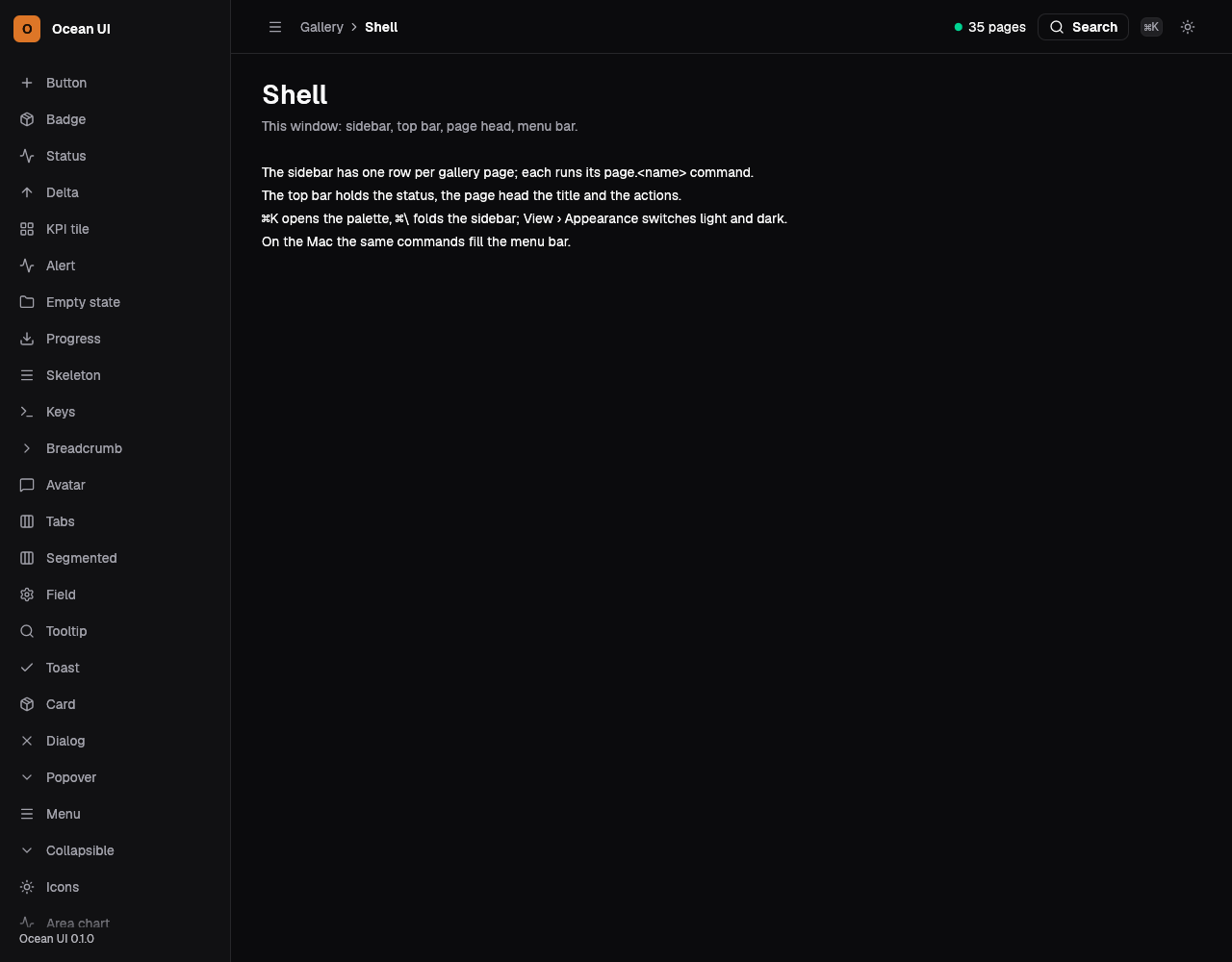
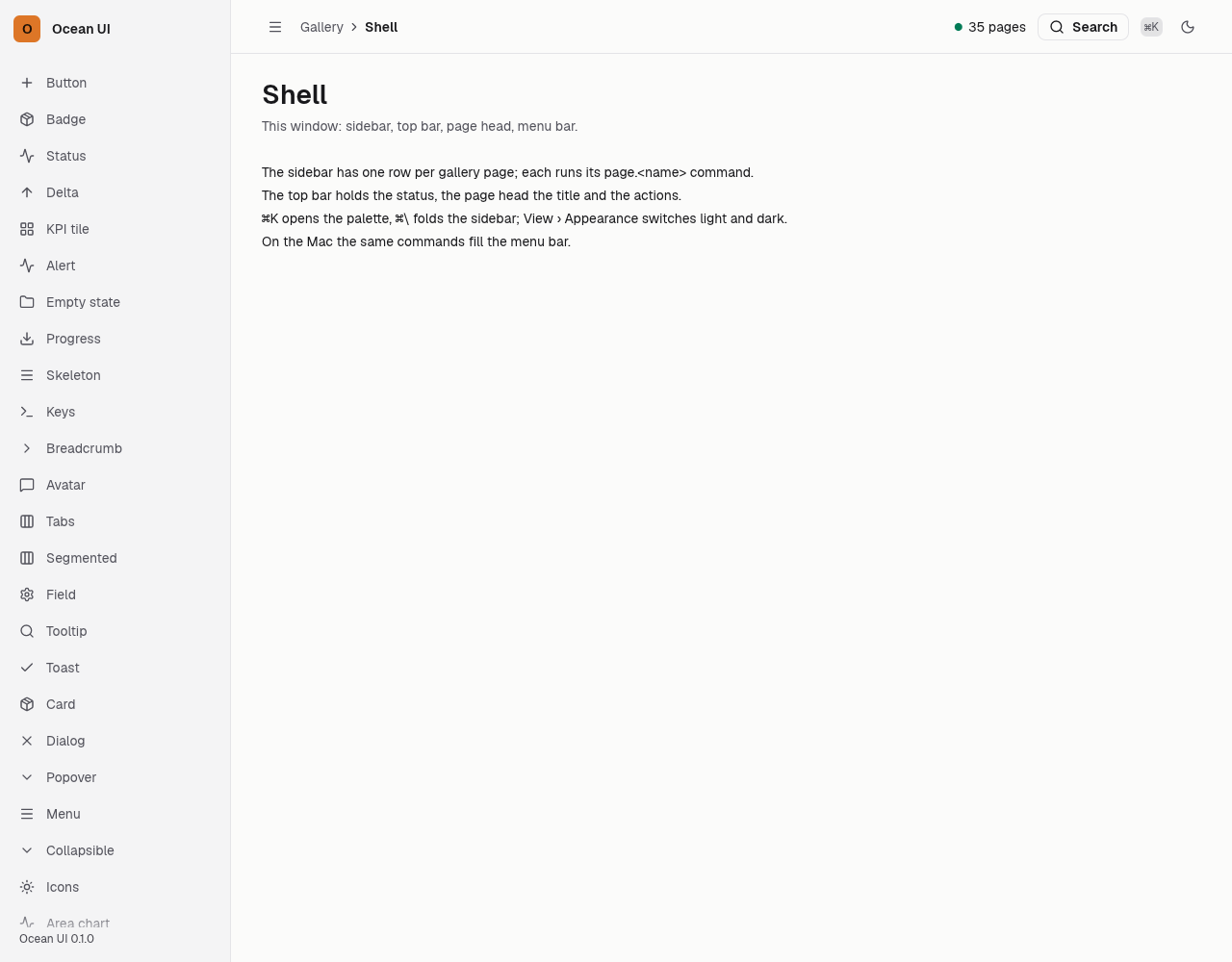
The same vocabulary drawn by Ocean UI's native face (egui on Metal), as the gallery's snapshot.
Use it
Web
use ocean_ui_core::{Button, Variant};
let (title, sub) = ("Tickets".to_string(), Some("Requests waiting on the desk".to_string()));
let actions = vec![Button::new("New ticket", Variant::Solid).href("/tickets/new")];Native
use ocean_ui_native::shell::Shell;
let sub = Some("This window: sidebar, top bar, page head, menu bar.".into());
Shell { title: "Shell".into(), sub, actions: Vec::new(), ..shell }.show(ui, &mut reg, |ui| ui.label("…"))Cargo feature shell of ocean-ui-core, ocean-ui-web and ocean-ui-native; available since 2026-10-29.
In App UI, the heading block draws it from YAML.
Props
| Name | Type | Default | What |
|---|---|---|---|
title | String | — | The screen's name, its one h1. |
sub | Option<String> | None | One line under the title. |
actions | Vec<Button> | — | The buttons at the head's end, in the order given; none leaves the end empty. |
Accessibility
- The title is the screen's only h1, and the cards below it use h2.
- Actions keep their own names and states, such as aria-busy on a busy button.
- The skip link lands on the main stage, so the page head is the first thing read after it.
Related
Markdown
The same page as Markdown, for an agent or a pull request.
# Page head
The screen's title, an optional line under it and its actions, above the body.
The page head names the screen in its one h1 and can add a short line that says what the screen is for. Actions sit at its end as buttons; keep one solid primary action and make the rest outlined or ghost. The shell writes it at the top of the main stage, before the body.
## Use it
Web:
```rust
use ocean_ui_core::{Button, Variant};
let (title, sub) = ("Tickets".to_string(), Some("Requests waiting on the desk".to_string()));
let actions = vec![Button::new("New ticket", Variant::Solid).href("/tickets/new")];
```
Native:
```rust
use ocean_ui_native::shell::Shell;
let sub = Some("This window: sidebar, top bar, page head, menu bar.".into());
Shell { title: "Shell".into(), sub, actions: Vec::new(), ..shell }.show(ui, &mut reg, |ui| ui.label("…"))
```
Cargo feature `shell`; since 2026-10-29.
In App UI the `heading` block draws it ([heading](/ui/blocks/heading.md)).
## Props
| Name | Type | Default | What |
|---|---|---|---|
| `title` | `String` | `—` | The screen's name, its one h1. |
| `sub` | `Option<String>` | `None` | One line under the title. |
| `actions` | `Vec<Button>` | `—` | The buttons at the head's end, in the order given; none leaves the end empty. |
On the Mac:  
## Examples
### Title, sub and actions
Every page has a title, one sentence and its ranked actions.
```rust
let shell = Shell {
app_name: "Service desk",
version: "0.8.8".into(),
nav: nav(),
here: "queue",
crumb: vec![
Crumb { text: "Service desk".into(), href: Some("#queue".into()) },
Crumb { text: "Queue".into(), href: None },
],
title: "Queue".into(),
sub: Some("Every ticket open now".into()),
actions: vec![Button::new("Build an agent", Variant::Solid).href("#build")],
status: None,
};
out.push_str(&page(&shell));
```
### Two actions
One primary; the rest outlined.
```rust
let actions = vec![
Button::new("Export", Variant::Outline).href("#export"),
Button::new("Build an agent", Variant::Solid).href("#build"),
];
let shell = Shell { actions,..desk() };
out.push_str(&page(&shell));
```
### Title only
A page with nothing to do but read needs no actions.
```rust
let shell = Shell {
here: "cost",
title: "Cost control".into(),
sub: None,
actions: Vec::new(),
..desk()
};
out.push_str(&page(&shell));
```
## Accessibility
- The title is the screen's only h1, and the cards below it use h2.
- Actions keep their own names and states, such as aria-busy on a busy button.
- The skip link lands on the main stage, so the page head is the first thing read after it.
## Related
- [Button](/ui/components/button.md)
- [Breadcrumb](/ui/components/breadcrumb.md)
- [Top bar](/ui/components/topbar.md)
- [Card](/ui/components/card.md)