Top bar
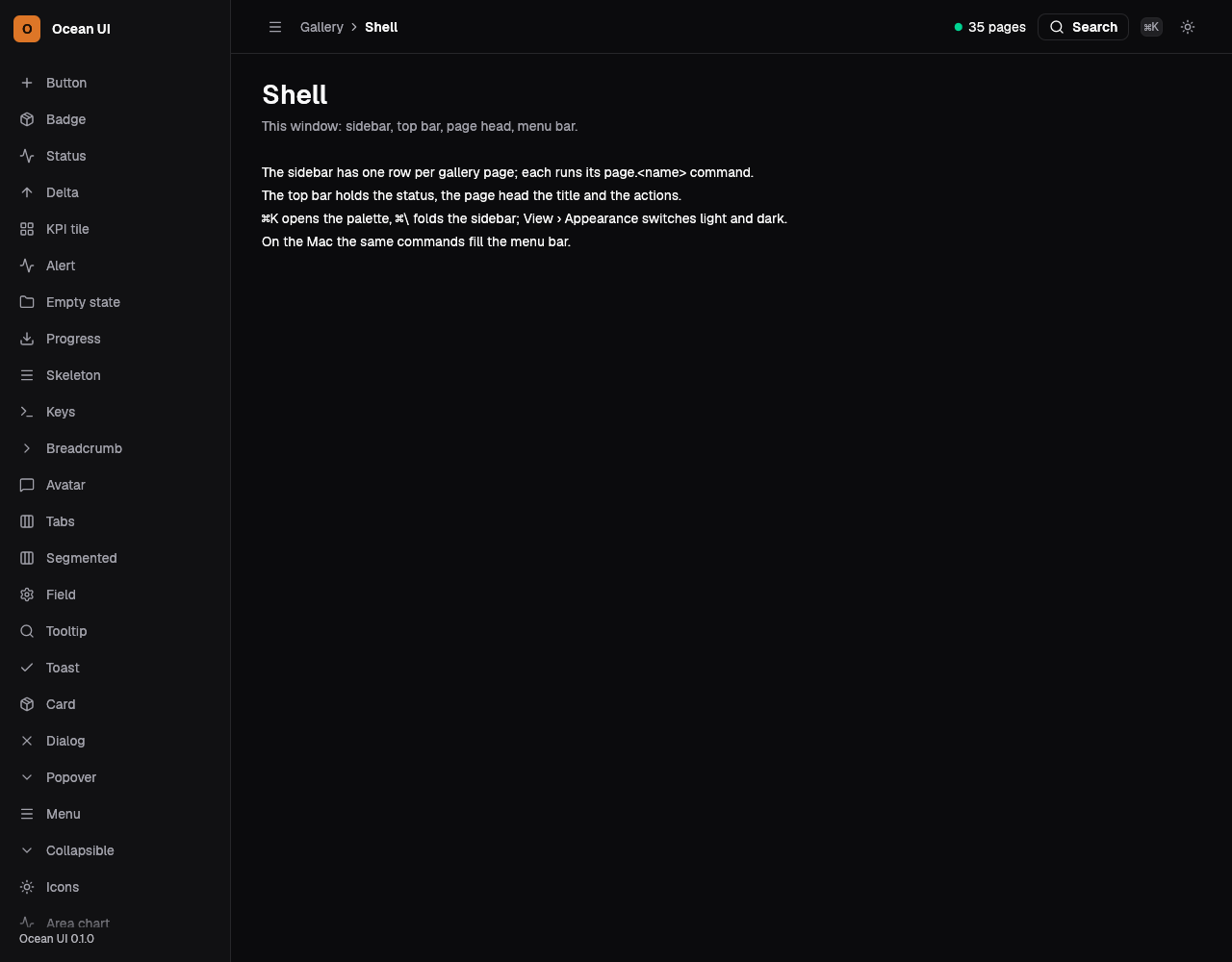
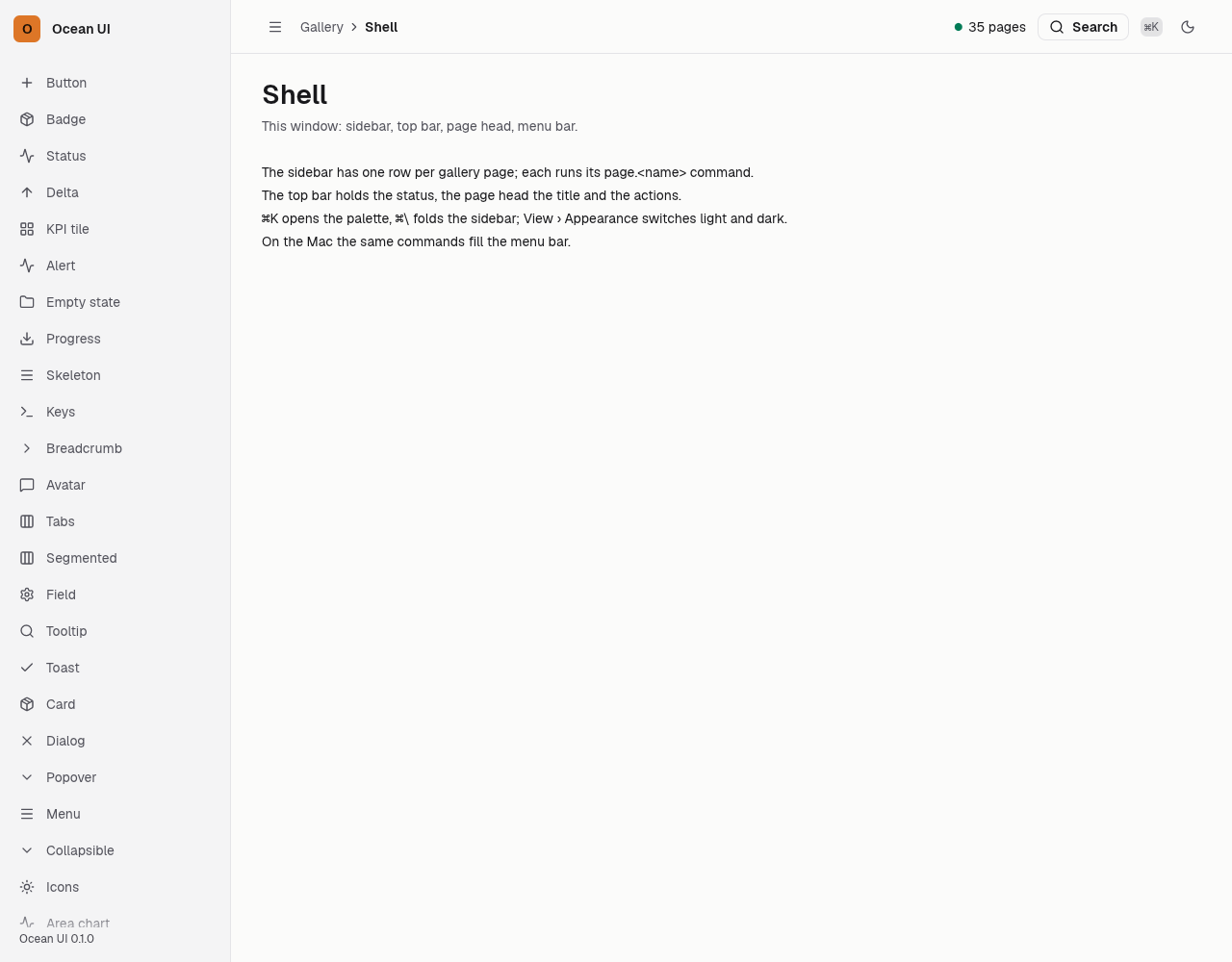
The top bar holds the breadcrumb at its start and, at its end, an optional status and the search pill. The pill opens the command palette without script through command="show-modal" and shows its ⌘K shortcut. Under 900 px a menu button appears first and opens the sidebar.
Crumb and search
The crumb says where you are; the search pill opens ⌘K.
let shell = Shell {
    app_name: "Service desk",
    version: "0.8.8".into(),
    nav: nav(),
    here: "queue",
    crumb: vec![
        Crumb { text: "Service desk".into(), href: Some("#queue".into()) },
        Crumb { text: "Queue".into(), href: None },
    ],
    title: "Queue".into(),
    sub: Some("Every ticket open now".into()),
    actions: vec![Button::new("Build an agent", Variant::Solid).href("#build")],
    status: None,
};
out.push_str(&page(&shell));With a status
A status in the bar says how the whole app is doing.
let shell = Shell { status: Some(("Live".into(), Tone::Ok)),..desk() };
out.push_str(&page(&shell));Three steps
Deeper pages show the path; narrow screens keep only the last step.
let crumb = vec![
    Crumb { text: "Service desk".into(), href: Some("#queue".into()) },
    Crumb { text: "Queue".into(), href: Some("#queue".into()) },
    Crumb { text: "T-4127".into(), href: None },
];
let shell = Shell { crumb, title: "T-4127".into(),..desk() };
out.push_str(&page(&shell));On the Mac
The same vocabulary drawn by Ocean UI's native face (egui on Metal), as the gallery's snapshot.
Use it
Web
use ocean_ui_core::{Crumb, Tone};
let crumb = vec![Crumb { text: "Desk".into(), href: Some("/".into()) }, Crumb { text: "Tickets".into(), href: None }];
let status = Some(("Live".to_string(), Tone::Ok));Native
use ocean_ui_core::{Crumb, Tone};
use ocean_ui_native::shell::Shell;
let crumb = vec![Crumb { text: "Gallery".into(), href: None }, Crumb { text: "Shell".into(), href: None }];
Shell { crumb, status: Some((format!("{} pages", pages().len()), Tone::Ok)), ..shell }.show(ui, &mut reg, |ui| ui.label("…"))Cargo feature shell of ocean-ui-core, ocean-ui-web and ocean-ui-native; available since 2026-10-29.
Props
| Name | Type | Default | What |
|---|---|---|---|
crumb | Vec<Crumb> | — | The path to this screen, each step a Crumb { text, href }, the last marked as the page. |
status | Option<(String, Tone)> | None | A word and its tone, such as Live in Tone::Ok, shown before the search pill. |
Accessibility
- The breadcrumb is a nav labelled Breadcrumb, its last step marked aria-current="page".
- The search pill is a button with aria-haspopup="dialog" and aria-keyshortcuts for ⌘K, Ctrl+K and the slash key.
- The menu button shows only an icon and is labelled Menu.
- The status pairs its word with a dot, so the tone never rests on colour alone.
Related
Markdown
The same page as Markdown, for an agent or a pull request.
# Top bar
The bar above every screen with the breadcrumb, an optional status and the search pill that opens ⌘K.
The top bar holds the breadcrumb at its start and, at its end, an optional status and the search pill. The pill opens the command palette without script through command="show-modal" and shows its ⌘K shortcut. Under 900 px a menu button appears first and opens the sidebar.
## Use it
Web:
```rust
use ocean_ui_core::{Crumb, Tone};
let crumb = vec![Crumb { text: "Desk".into(), href: Some("/".into()) }, Crumb { text: "Tickets".into(), href: None }];
let status = Some(("Live".to_string(), Tone::Ok));
```
Native:
```rust
use ocean_ui_core::{Crumb, Tone};
use ocean_ui_native::shell::Shell;
let crumb = vec![Crumb { text: "Gallery".into(), href: None }, Crumb { text: "Shell".into(), href: None }];
Shell { crumb, status: Some((format!("{} pages", pages().len()), Tone::Ok)), ..shell }.show(ui, &mut reg, |ui| ui.label("…"))
```
Cargo feature `shell`; since 2026-10-29.
## Props
| Name | Type | Default | What |
|---|---|---|---|
| `crumb` | `Vec<Crumb>` | `—` | The path to this screen, each step a Crumb { text, href }, the last marked as the page. |
| `status` | `Option<(String, Tone)>` | `None` | A word and its tone, such as Live in Tone::Ok, shown before the search pill. |
On the Mac:  
## Examples
### Crumb and search
The crumb says where you are; the search pill opens ⌘K.
```rust
let shell = Shell {
app_name: "Service desk",
version: "0.8.8".into(),
nav: nav(),
here: "queue",
crumb: vec![
Crumb { text: "Service desk".into(), href: Some("#queue".into()) },
Crumb { text: "Queue".into(), href: None },
],
title: "Queue".into(),
sub: Some("Every ticket open now".into()),
actions: vec![Button::new("Build an agent", Variant::Solid).href("#build")],
status: None,
};
out.push_str(&page(&shell));
```
### With a status
A status in the bar says how the whole app is doing.
```rust
let shell = Shell { status: Some(("Live".into(), Tone::Ok)),..desk() };
out.push_str(&page(&shell));
```
### Three steps
Deeper pages show the path; narrow screens keep only the last step.
```rust
let crumb = vec![
Crumb { text: "Service desk".into(), href: Some("#queue".into()) },
Crumb { text: "Queue".into(), href: Some("#queue".into()) },
Crumb { text: "T-4127".into(), href: None },
];
let shell = Shell { crumb, title: "T-4127".into(),..desk() };
out.push_str(&page(&shell));
```
## Accessibility
- The breadcrumb is a nav labelled Breadcrumb, its last step marked aria-current="page".
- The search pill is a button with aria-haspopup="dialog" and aria-keyshortcuts for ⌘K, Ctrl+K and the slash key.
- The menu button shows only an icon and is labelled Menu.
- The status pairs its word with a dot, so the tone never rests on colour alone.
## Related
- [Breadcrumb](/ui/components/breadcrumb.md)
- [Status](/ui/components/status.md)
- [Command palette](/ui/components/command-palette.md)
- [Sidebar](/ui/components/sidebar.md)