Sidebar
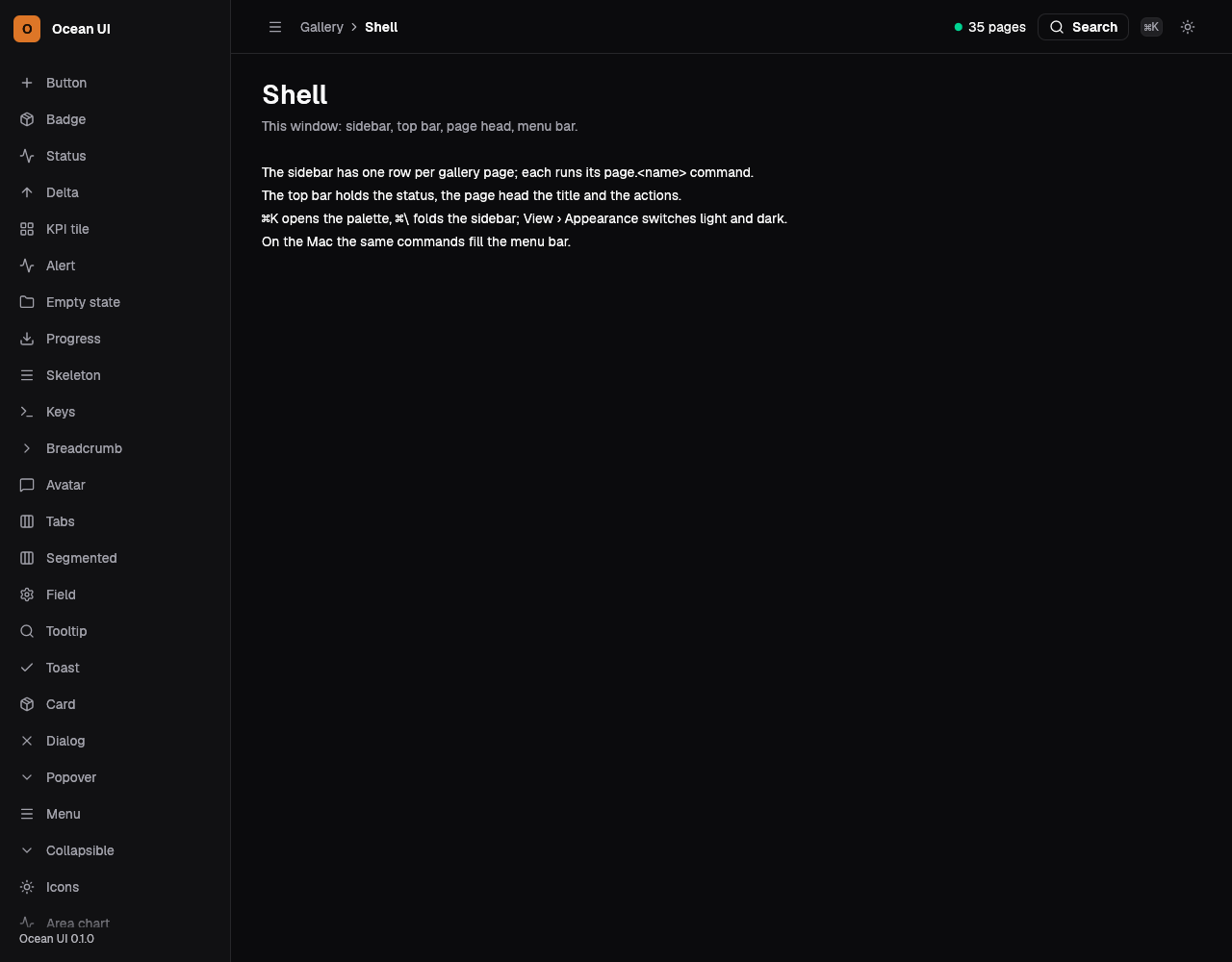
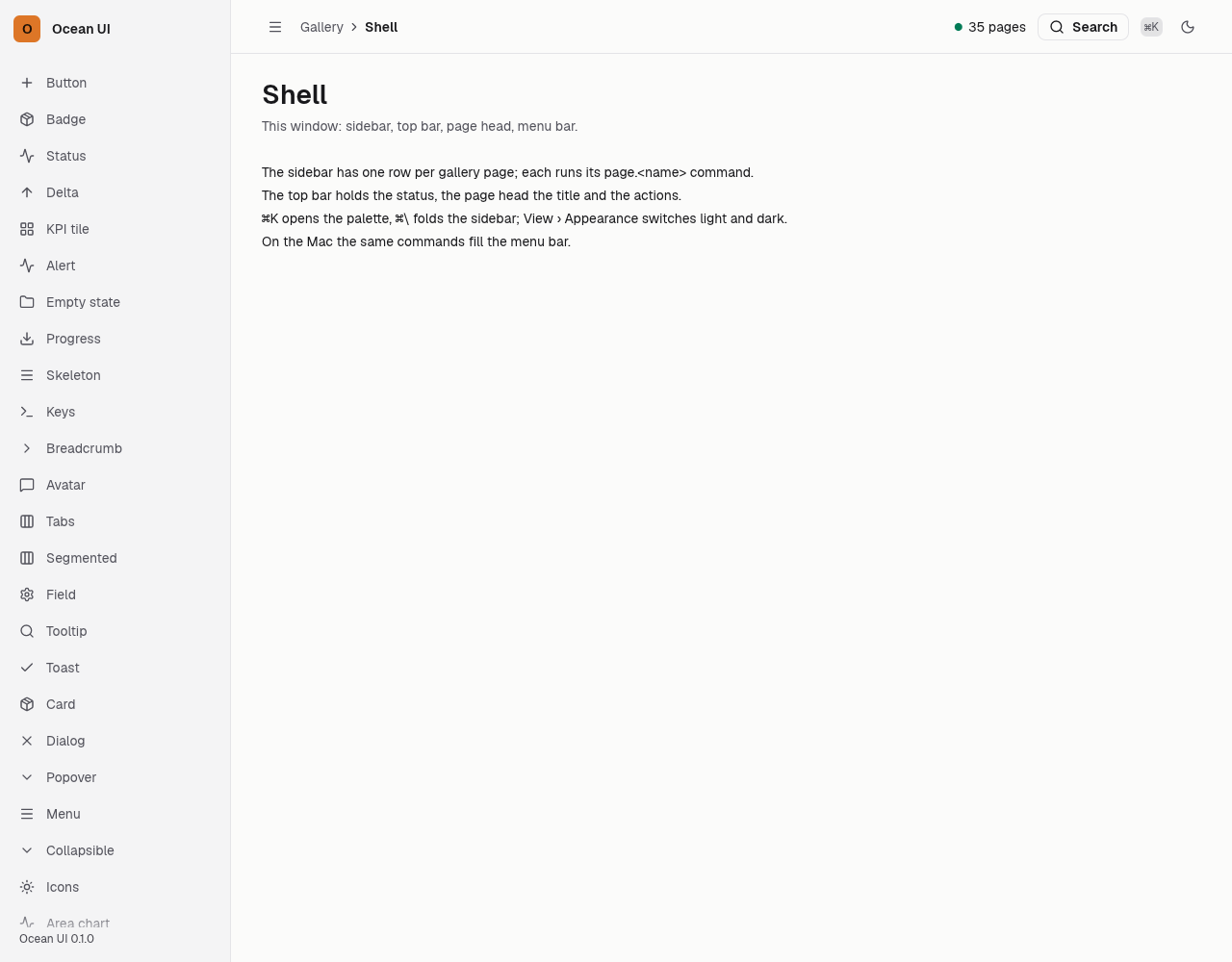
The sidebar shows the app's mark and name, then one link per nav row that has an address in the page's nav_hrefs, each with its icon and label. The row whose id is here is lit and marked as the current page. Under 900 px it becomes the browser's popover, opened by the top bar's menu button and closed by its own close button, Esc or a click outside.
The app's screens
One row per screen, the current one lit; the build in the foot.
let shell = Shell {
    app_name: "Service desk",
    version: "0.8.8".into(),
    nav: nav(),
    here: "queue",
    crumb: vec![
        Crumb { text: "Service desk".into(), href: Some("#queue".into()) },
        Crumb { text: "Queue".into(), href: None },
    ],
    title: "Queue".into(),
    sub: Some("Every ticket open now".into()),
    actions: vec![Button::new("Build an agent", Variant::Solid).href("#build")],
    status: None,
};
out.push_str(&page(&shell));Another screen lit
here names the lit row; the page marks it as current.
let shell = Shell {
    here: "agents",
    title: "Agents".into(),
    sub: None,
    actions: Vec::new(),
    ..desk()
};
out.push_str(&page(&shell));A longer name
The app's name sits beside its initial in the brand square.
let shell = Shell {
    app_name: "Compliance desk",
    here: "cost",
    title: "Cost control".into(),
    ..desk()
};
out.push_str(&page(&shell));On the Mac
The same vocabulary drawn by Ocean UI's native face (egui on Metal), as the gallery's snapshot.
Use it
Web
use ocean_ui_core::Icon;
use ocean_ui_web::NavItem;
NavItem { id: "tickets", label: "Tickets", icon: Icon::Inbox, command_id: "go.tickets" }Native
use ocean_ui_core::Icon;
use ocean_ui_native::shell::{NavItem, Shell};
let row = NavItem { id: "shell", label: "Shell", icon: Icon::Dashboard, command_id: "page.shell" };
Shell { nav: vec![row], here: "shell", ..shell }.show(ui, &mut reg, |ui| ui.label("…"))Cargo feature shell of ocean-ui-core, ocean-ui-web and ocean-ui-native; available since 2026-10-29.
Props
| Name | Type | Default | What |
|---|---|---|---|
app_name | &'static str | — | The app's name beside its mark, whose first letter fills the brand square, and again in the foot. |
nav | Vec<NavItem> | — | The rows in order; a row without an address in the page's nav_hrefs is left out. |
nav[].id | &'static str | — | The row's id, the one here and nav_hrefs name. |
nav[].label | &'static str | — | The row's words. |
nav[].icon | Icon | — | The icon before the label. |
nav[].command_id | &'static str | — | The command the row stands for, written as its data-command. |
here | &'static str | — | The id of the lit row, the current screen. |
version | String | — | The build shown after the app's name in the foot. |
Accessibility
- The rows are links in a nav labelled Ocean, and the lit row says aria-current="page".
- Icons are aria-hidden, so each row is named by its label.
- Under 900 px the panel's close button is labelled Close menu, and Esc or a click outside also closes it.
- A Skip to content link before the sidebar jumps to the main stage.
Related
Markdown
The same page as Markdown, for an agent or a pull request.
# Sidebar
The shell's left navigation, one row per screen with the current one lit and the version in its foot.
The sidebar shows the app's mark and name, then one link per nav row that has an address in the page's nav_hrefs, each with its icon and label. The row whose id is here is lit and marked as the current page. Under 900 px it becomes the browser's popover, opened by the top bar's menu button and closed by its own close button, Esc or a click outside.
## Use it
Web:
```rust
use ocean_ui_core::Icon;
use ocean_ui_web::NavItem;
NavItem { id: "tickets", label: "Tickets", icon: Icon::Inbox, command_id: "go.tickets" }
```
Native:
```rust
use ocean_ui_core::Icon;
use ocean_ui_native::shell::{NavItem, Shell};
let row = NavItem { id: "shell", label: "Shell", icon: Icon::Dashboard, command_id: "page.shell" };
Shell { nav: vec![row], here: "shell", ..shell }.show(ui, &mut reg, |ui| ui.label("…"))
```
Cargo feature `shell`; since 2026-10-29.
## Props
| Name | Type | Default | What |
|---|---|---|---|
| `app_name` | `&'static str` | `—` | The app's name beside its mark, whose first letter fills the brand square, and again in the foot. |
| `nav` | `Vec<NavItem>` | `—` | The rows in order; a row without an address in the page's nav_hrefs is left out. |
| `nav[].id` | `&'static str` | `—` | The row's id, the one here and nav_hrefs name. |
| `nav[].label` | `&'static str` | `—` | The row's words. |
| `nav[].icon` | `Icon` | `—` | The icon before the label. |
| `nav[].command_id` | `&'static str` | `—` | The command the row stands for, written as its data-command. |
| `here` | `&'static str` | `—` | The id of the lit row, the current screen. |
| `version` | `String` | `—` | The build shown after the app's name in the foot. |
On the Mac:  
## Examples
### The app's screens
One row per screen, the current one lit; the build in the foot.
```rust
let shell = Shell {
app_name: "Service desk",
version: "0.8.8".into(),
nav: nav(),
here: "queue",
crumb: vec![
Crumb { text: "Service desk".into(), href: Some("#queue".into()) },
Crumb { text: "Queue".into(), href: None },
],
title: "Queue".into(),
sub: Some("Every ticket open now".into()),
actions: vec![Button::new("Build an agent", Variant::Solid).href("#build")],
status: None,
};
out.push_str(&page(&shell));
```
### Another screen lit
here names the lit row; the page marks it as current.
```rust
let shell = Shell {
here: "agents",
title: "Agents".into(),
sub: None,
actions: Vec::new(),
..desk()
};
out.push_str(&page(&shell));
```
### A longer name
The app's name sits beside its initial in the brand square.
```rust
let shell = Shell {
app_name: "Compliance desk",
here: "cost",
title: "Cost control".into(),
..desk()
};
out.push_str(&page(&shell));
```
## Accessibility
- The rows are links in a nav labelled Ocean, and the lit row says aria-current="page".
- Icons are aria-hidden, so each row is named by its label.
- Under 900 px the panel's close button is labelled Close menu, and Esc or a click outside also closes it.
- A Skip to content link before the sidebar jumps to the main stage.
## Related
- [Top bar](/ui/components/topbar.md)
- [Command palette](/ui/components/command-palette.md)
- [Page head](/ui/components/page-head.md)
- [Icon](/ui/components/icon.md)